[5 Methods] How to Get Rid of Black Box on iPhone Screen?
Like any other device, the iPhone encounters a disturbance that can affect its usability and functionality. However, if you are an iPhone user, you can relate to the issue of the black box on your iPhone screen. The black box is a distracting and frustrating issue that can appear for different reasons, such as an app malfunction, a software glitch, or a hardware issue.
If this issue arises, you can’t use the device appropriately. viewing or reading content on your iPhone screen becomes difficult due to the black box problem.
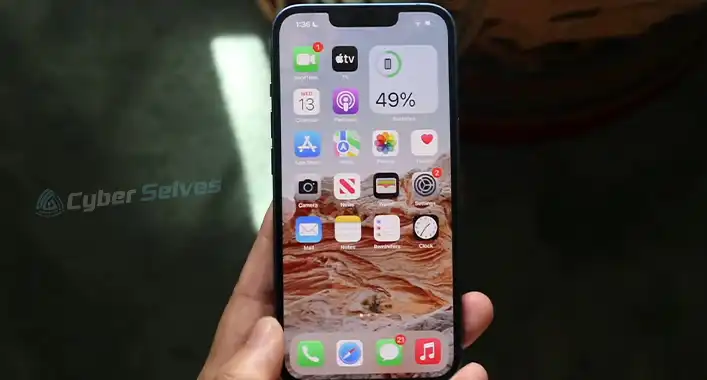
But the good thing is that you can solve the issue quickly. So it is crucial to know how to eliminate the black box on the iPhone screen. In this article, I will explore step-by-step instructions so that you can troubleshoot your issue very smartly.
What Are the Reasons for Black Boxes on iPhone Screen?
Before diving into the fixing procedure, knowing the potential reasons behind this issue is essential. The reasons can help you detect the problem and take steps to fix it. However, app malfunction, software glitches, and hardware issues may be the potential causes behind the black box issue. After that, I will explore the solution.
Reason 1: App Malfunction
App malfunction is the most probable reason for your black box issue. App malfunction arises when an app can’t optimize correctly for your device. it can happen when the app encounters an error or a bug that affects the performance of your iPhone. sometimes a rouge app can be the prime reason for this iPhone issue.
Reason 2: Software Glitch
It is another common reason for the black box problem on your iPhone screen. Software glitch occurs if an app or your operating system encounters an issue and fails to show the content correctly. a conflict between an outdated version of your operating system and various apps can cause software glitches.
Reason 3: Hardware Issues
Though it is a less common reason that can cause your black box issue on the iPhone screen, it can happen sometimes. However, hardware issues happen when there is damage to the internal components. It even occurs due to damage to your iPhone screen. hardware issues arise if there are problems with the hardware configuration on your iPhone.
What Are the Procedures to Get Rid of Black Box on iPhone Screen?
Now let’s explore the solutions. You can restart the iPhone or update the software of your iPhone. it is possible to reset all settings or uninstall the recently installed applications from your iPhone. You must restore your phone if all those procedures fail.
Procedure 1: Restart the iPhone
It is the most innovative and simplest procedure to restart the iPhone. it is the most effective solution. First, when you face the black box problem on your iPhone screen, you must reset your phone. It can help you clean errors or temporary glitches that can cause the issue.
Step 1: Turn off Your iPhone
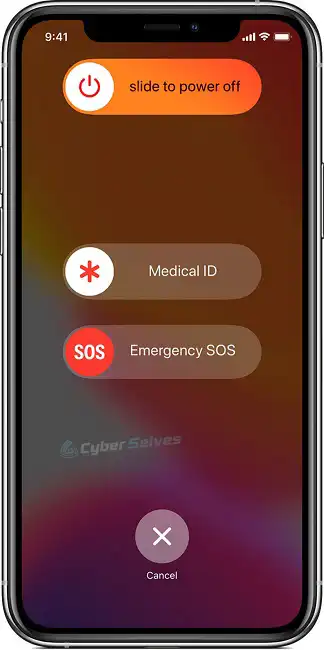
You must press and hold the power button of your iPhone until the “slide power off” option visualizes on your phone screen. After that, slide the power off slider and turn off your phone. Now, wait for a while. Then press and hold the phone’s power button again. You must keep the power button until you can see the Apple logo on your screen.
Step 2: Restart Your iPhone
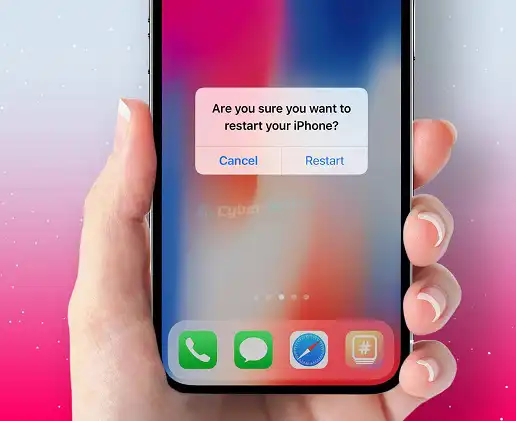
Now release the power button. After that, you need to wait for a while to restart your iPhone. Once the iPhone restarted, check if there is a black box problem.
Procedure 2: Update the iPhone Software
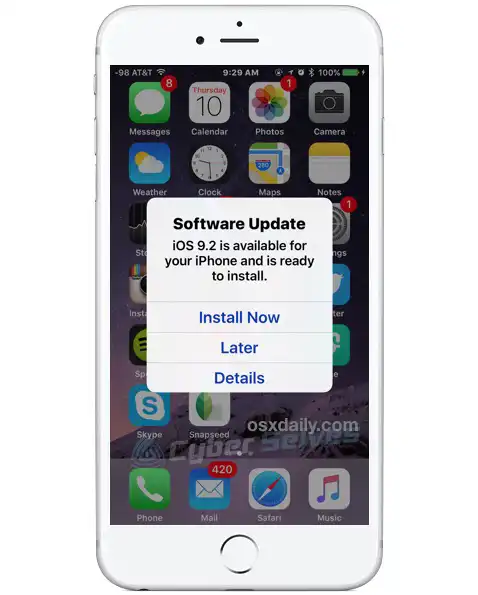
If the previous procedure fails to resolve your problem, you must try the second most effective procedure to get the expected result. You must check if there are any software updates available for the iPhone. In general, apple regularly updates its operating system so that users can address bugs or other problems. So update the software of your iPhone to resolve the black box problem.
Step 1: Download the Updated Software
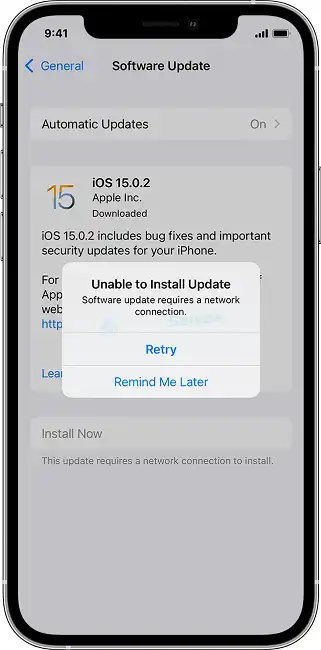
You must open the settings app on the iPhone and tap on the option “general.” After that, tap on the option “software update.” When a software update is available, tap the Download and Install option.
Step 2: Install the Updated Software
You must wait for a while to install the updated software. After installing the software in updated versions, it is time to check if there is still an issue with the black box.
Procedure 3: Reset All Your Settings
If the black box problem persists after applying the previous solution, you must go with the third option. Resetting all your settings will decline all customized settings on the iPhone, such as wallpapers, wi-fi passwords, and other preferences. However, resetting all your settings doesn’t affect your apps or personal data.
Step 1: Tap to Reset
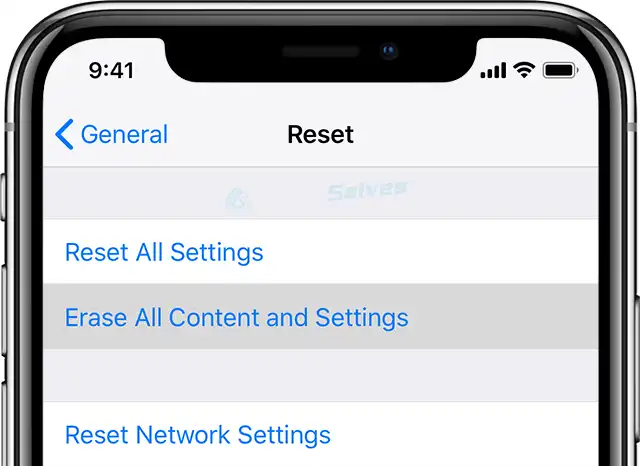
You must open your settings app on the iPhone and tap on the option “general.” After that, you must scroll down and tap on the reset option.
Step 2: Tap on Reset All Option
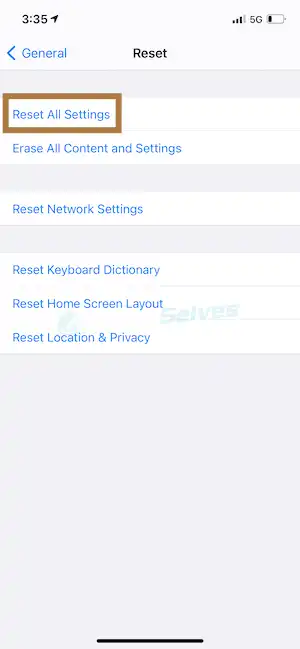
Now tap on reset all settings and enter your passcode if prompted. After that, you must tap on reset all settings to confirm. After confirming, it is time to check whether the issue has been solved.
Procedure 4: Uninstall Your Recent Installed Applications
However, if you fail again and can’t get the expected result, you must uninstall your recently installed applications on your iPhone.
Step 1: Tap on the Icon “x”
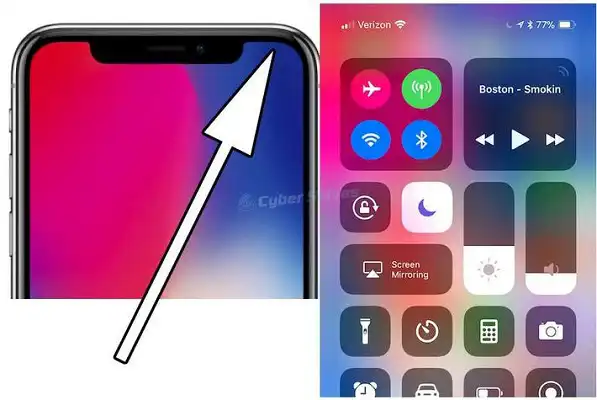
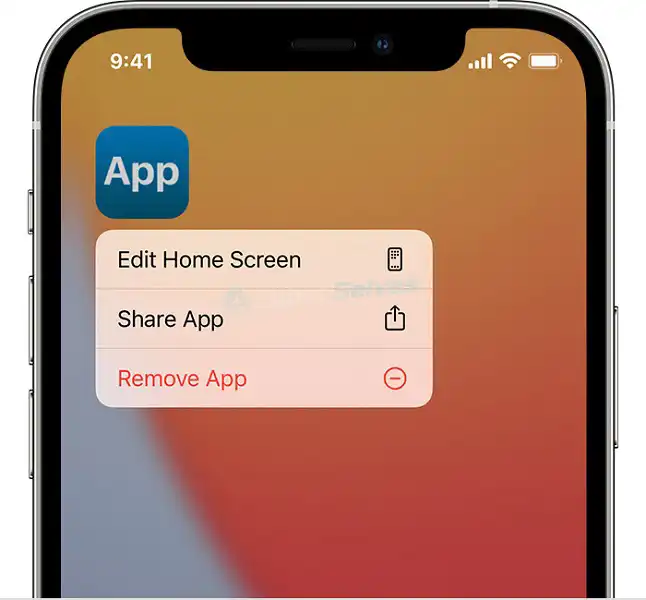
You need to press and then hold the application icon on the home screen of your iPhone until it begins to jiggle. After that, tap on the icon “x.” This icon will be in the upper-left corner of the app icon.
Step 2: Tap on the Delete Option
Now tap on the delete option to confirm. After confirmation, you need to check if there is the expected result comes or not.
Procedure 5: Restore the iPhone
When none of the above procedure work, there will be the last way that you may solve the issue of the black box on the iPhone screen. If you restore your iPhone, it will decline all your settings and data on the device. the procedure will install a fresh copy of your operating system. However, it is crucial to remember that this procedure is irreversible. So you should attempt this way as a last resort.
Step 1: Click on the “Restore iPhone” Option
You must connect the iPhone to the PC with a USB cable. After that, open Finder or iTunes on your PC. Now you must click on the device icon. You will get the icon in the top-left corner.
Step 2: Follow Your Onscreen Instructions
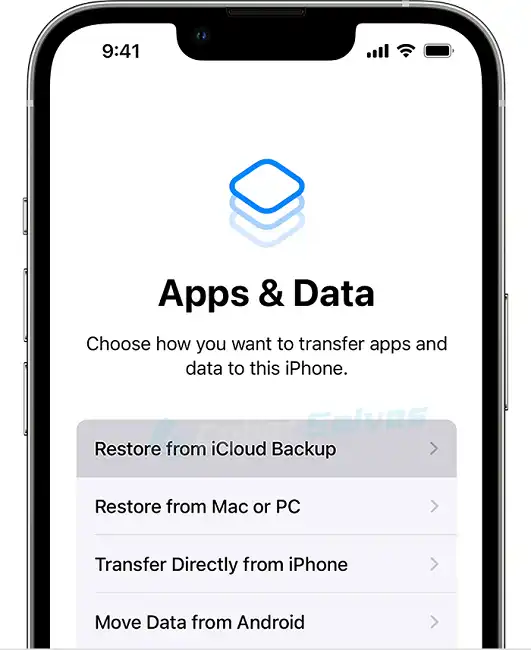
Now you must click on the option Restore iPhone and follow the onscreen instruction to complete your restore procedure. Then it is time to set up the iPhone as new. Ocean setting the iPhone as new, you must notice if the black box issue stays. But I hope you have already overcome the issue because the procedures are adequate.
Frequently Asked Questions And Answers
What Should I Do If I Fail in All the Conventional Procedures?
Unfortunately, sometimes you can’t resolve the black box issue on your iPhone screen. When you can’t fix the case, you must try visiting an authorized Apple service provider or contacting Apple support for further assistance. The authorization can give you the solution and straightforward concert about further tasks.
Can the Black Box Issue on My iPhone Screen Arise from Malware or a Virus?
Yes, there is a strong possibility of facing the black box issue due to malware or a virus on your iPhone. Though Apple is a highly secured operating system, it sometimes can’t recognize malware or viruses. So you must keep your software up to date. you must install your applications from trusted sources. Installing the apps from trusted sources reduces the risks of getting malware and viruses on your iPhone.
Will Reset All Settings on an iPhone Erase All Settings and Data from the iPhone?
Not at all. Resetting all settings on an iPhone doesn’t erase all settings and data from the iPhone. However, it reset all of the settings to their default values. More specifically, when resetting all iPhone settings, you must reconfigure the Bluetooth, wi-fi, and other settings. But the thing is that resetting all settings can’t affect your photos, applications, music, and other data.
Related reading: How to Get Rid of Foreign Ip Addresses, Will System Restore Get Rid of a Virus? Is It Possible, How to Get Rid of click.adservinganalytics.com.
Conclusion
Generally, preventing the black box issue on the iPhone screen is not always possible. So you better take the necessary steps to reduce the likelihood of it happening. If you keep your software up to date, avoid installing applications from untrusted sources, and avoid using overlay features or screen recording tools, the probability of suffering black box issues can be reduced.
it is essential to be cautious when installing updates or new applications. you must back up your iPhone data regularly. When you keep backing up the data regularly, you can restore the data when an issue arises.