Can A Virus On A Virtual Machine Infect The Host
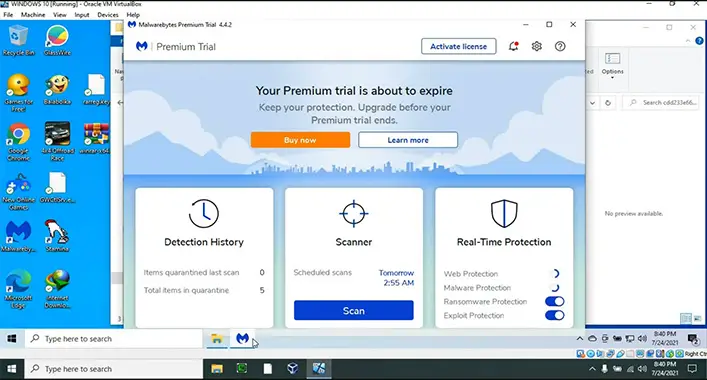
Yes, a virus on a virtual machine can infect the host if your host machine is allowed to have constant communication with the virtual machine. A virtual machine is a software that is installed to run programs and deploy apps. It is installed on a host machine. It runs on its own operating system like Windows, Linux, Mac OS X, etc.

A virtual machine helps run more operating systems within an existing one. Some well-known virtual machines are Virtual Box and VMware. It allows you to try new os, test an app, and also you can run old apps.
Is It Safe To Download Viruses On A Virtual Machine,
Yes, it is safe as long as your host computer is isolated from your virtual machine. As the virtual machine operates with an os, a virus treats it as a normal computer. It will infect the machine as a normal computer. But if the virtual machine is not isolated from the host, the virus can infect the host.

If I Download A Virus On A Virtual Machine, Can It Affect My Main Computer
Yes, if you allow constant communication between the virtual machine and the host. Some of the causes are described below:
1. Transfering Files Between The Virtual Machine And Host Operating System
If you transfer files from a virtual machine to a host, the host operating system can be infected by the virus. As the virtual machine creates separate partitions on the drive for storage and runs using different os, the virus can not harm the host OS. But if they share an os then the host os can be infected by the virus.
2. Sharing Over Network
Normally the virtual machine and the host have a different IP address. But sometimes they share the same IP address. There may be file sharing over the network. If those files are infected with a virus, then the virus will be transferred over the network.
Can You Prevent A Virus On A Virtual Machine From Infecting The Host?
You can prevent a virus on a virtual machine from infecting the host. Follow the instructions to prevent the virtual machine from infecting the host.
1. Use Trusted Virtual Machine Software
You should use trusted virtual machine software. First, check the software review to know the pros and cons. Because good software partitions the files and separates your virtual machine from the host OS. Also, use a trusted app to run on your virtual machine. It will help you to avoid damage.
2. Ensure Your Drive Partition
Separate the drives of the virtual and host operating systems from each other so that they can not corrupt each other. Otherwise, a virus can spread from the virtual machine to the host OS.
If you use a good virtual machine app it would be easy for you to partition your drive. Before transferring any file make sure that it is not virus infected.
3. Pay Attention to Your Network Configuration
A virus on the virtual machine can infect the host by being shared over the network. Normally, the virtual machine and the host OS has a different IP address. But if the IP addresses are the same then the virus on the virtual machine can infect the host OS.
Related reading: Can A Virtual Machine Get A Virus, Can a Virus Escape a Virtual Machine? Exploring the Fact, Can You Get a Virus From an MP4? Proper Explanation.
Conclusion
In this article, we have discussed virtual machines. It is safe to download a virus on a virtual machine if there is no constant communication between the virtual machine and the host. The virus on the VR can affect the host if it is not isolated. You can prevent the virus on the virtual machine from affecting the host.